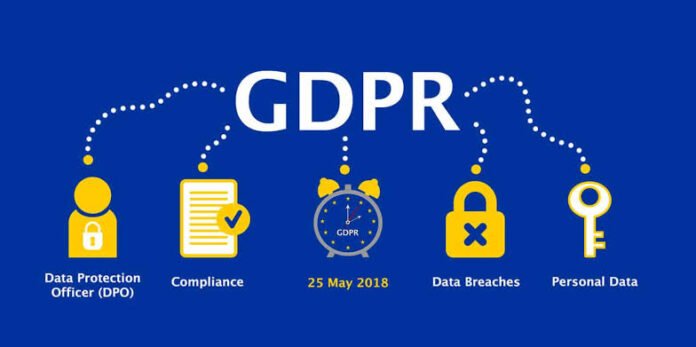


GDPR turned every shared drive into a compliance risk on 25 May 2018, and most companies still treat it like an IT security problem instead of a file lifecycle problem.
If you’re searching “what is GDPR,” skip the legalese. It’s the EU’s General Data Protection Regulation that gives people control over their personal data, and it applies to any organisation, anywhere, that processes data of EU residents. Public, private, startup or enterprise — size doesn’t matter.
What GDPR actually requires
At its core, GDPR is built on a few simple ideas:
- Harmonised rules: one standard across the European Economic Area, so data gets the same protection everywhere
- Lawful basis: you must have a reason to process data — consent, contract, legal obligation, vital interests, public task, or legitimate interest
- People’s rights: access, correction, portability, and the right to be forgotten
- Storage limitation: keep personal data only as long as strictly necessary for the original purpose
- Accountability: you must prove compliance, not just claim it
The penalty gets attention for a reason. Serious breaches can cost up to 20 million euros or 4 percent of worldwide annual turnover, whichever is higher. Lesser issues still hit up to 10 million euros or 2 percent. Regulators have already issued fines in the hundreds of millions for big tech, but the pattern matters more than the headlines.
Why files, not firewalls, cause most fines
Read the enforcement decisions and you’ll see a theme. It’s rarely a nation-state hack. It’s:
- A hospital where staff could browse any patient file without proper authorization
- A real estate firm that never defined how long to keep rental applications
- A municipality that left 35,000 login credentials in a public folder
- A retailer that kept customer data in an old system years after it was needed
Those are file management failures. GDPR Article 5 says you must set time limits for erasure or periodic review. Recital 39 tells you to actually enforce them. Article 17 gives people the right to ask for deletion at any time, and you have about a month to respond.
That means your problem isn’t just encryption. It’s knowing what you have, why you have it, and where every copy lives — including backups and archives.
Enterprise file management as your first line of defense
Think of GDPR as treating personal data like fresh produce, not fine wine. It expires. Your file system should enforce that expiry automatically.
1. Inventory and classify
You can’t delete what you can’t find. Run discovery across file shares, SharePoint, Google Drive, S3, laptops, and SaaS apps. Tag files by data type — employee, customer, prospect — and by purpose at creation. GDPR applies to backups too, so your inventory must include cold storage.
2. Set retention by design
GDPR doesn’t give you a fixed number of years. You decide based on purpose and local law. Example patterns:
- CVs: 6 months after rejection
- Invoices: 7 to 10 years for tax
- Support tickets: 90 days after closure
Document the justification for each period. That’s your accountability proof.
3. Control access and log everything
Least privilege is non-negotiable. If someone doesn’t need a file for their job, they shouldn’t see it. Turn on immutable audit trails so you can show who accessed what, when, and why. Remember, as the data controller you’re liable for your processors too — your CRM, payroll, or cloud storage vendor doesn’t take the fine for you.
4. Automate deletion everywhere
Manual cleanup fails at scale. Use lifecycle policies that trigger deletion or anonymization when the retention clock ends, and propagate that delete to replicas, backups, and archives. Keep a separate workflow for right-to-be-forgotten requests so you can verify identity, locate all copies, and confirm deletion within the deadline.
5. Keep receipts, not intentions
Auditors want evidence. Maintain a simple pack:
- written retention policy
- data map and lawful basis register
- deletion schedules and logs
- records of access requests and responses
- employee training records
A quick GDPR file hygiene checklist
- Map personal data this quarter, not next year
- Apply purpose and retention tags automatically at file creation
- Enforce role-based access and MFA for file admins
- Schedule annual policy reviews — purposes change
- Automate deletion in production and backup tiers
- Train staff on data minimization: collect less, keep less, risk less
The bottom line
What is GDPR? It’s permission-based data stewardship. You borrow personal data for a specific job, for a specific time, and you must return it securely by deleting it.
Firewalls keep attackers out. Good file management keeps regulators out. When you can answer in five minutes where a person’s data lives, why you still have it, and exactly when it will disappear, you’ve solved the hardest part of GDPR — and turned compliance from a legal threat into an operational advantage.